Flayr FX SFX
£19.00 Includes VAT
Search your own sound-effects library from a panel in Premiere Pro and After Effects, hear it, and put it on the timeline in seconds. Sounds not included.
- Instant download from your account
- VAT receipt by email
- Secure card payment by Stripe
- One-person licence, Flayr Software Licence
- Software
- Adobe Premiere Pro 2022 or later and After Effects 2022 or later
- Systems
- macOS and Windows. Converting CAF, FLAC, OGG and AU files, previewing CAF, AIFF and AU files, and the sound details in the player need macOS
- Type
- Panel (Window › Extensions)
- Sounds
- none included; works with your own library
- Formats
- WAV, AIFF, MP3, M4A and AAC, plus CAF, FLAC, OGG and AU on a Mac
- Updates
- free, from your account
About Flayr FX SFX
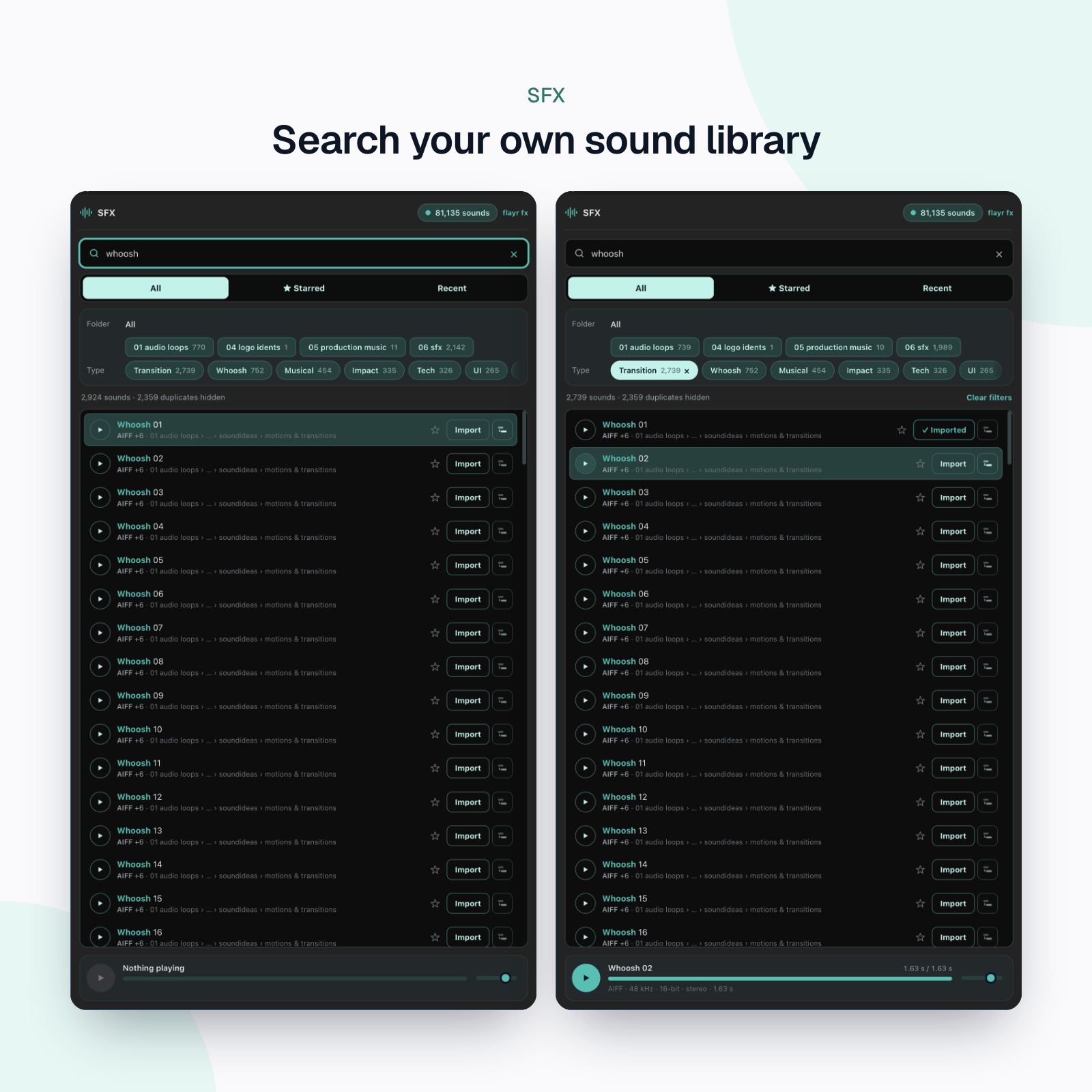
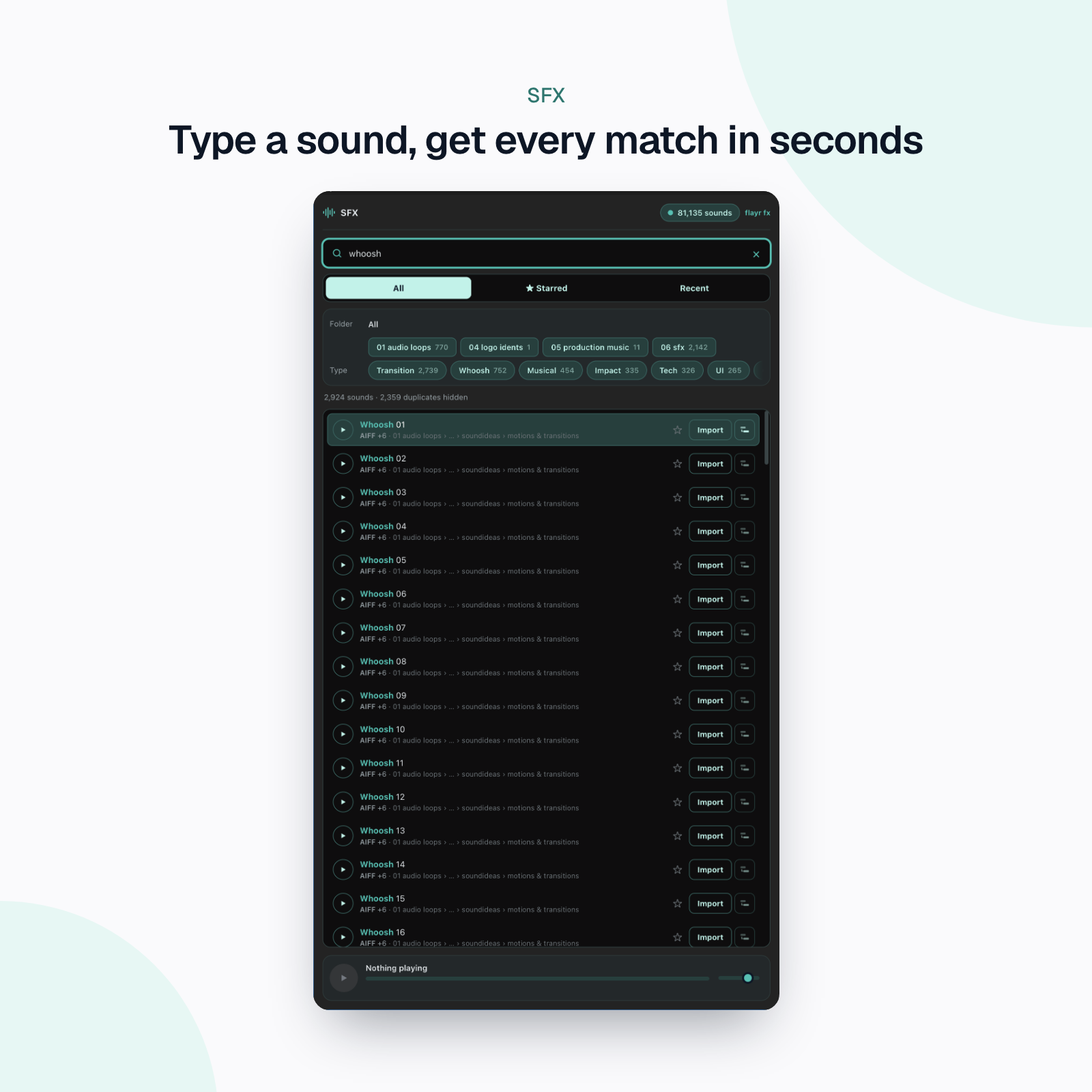
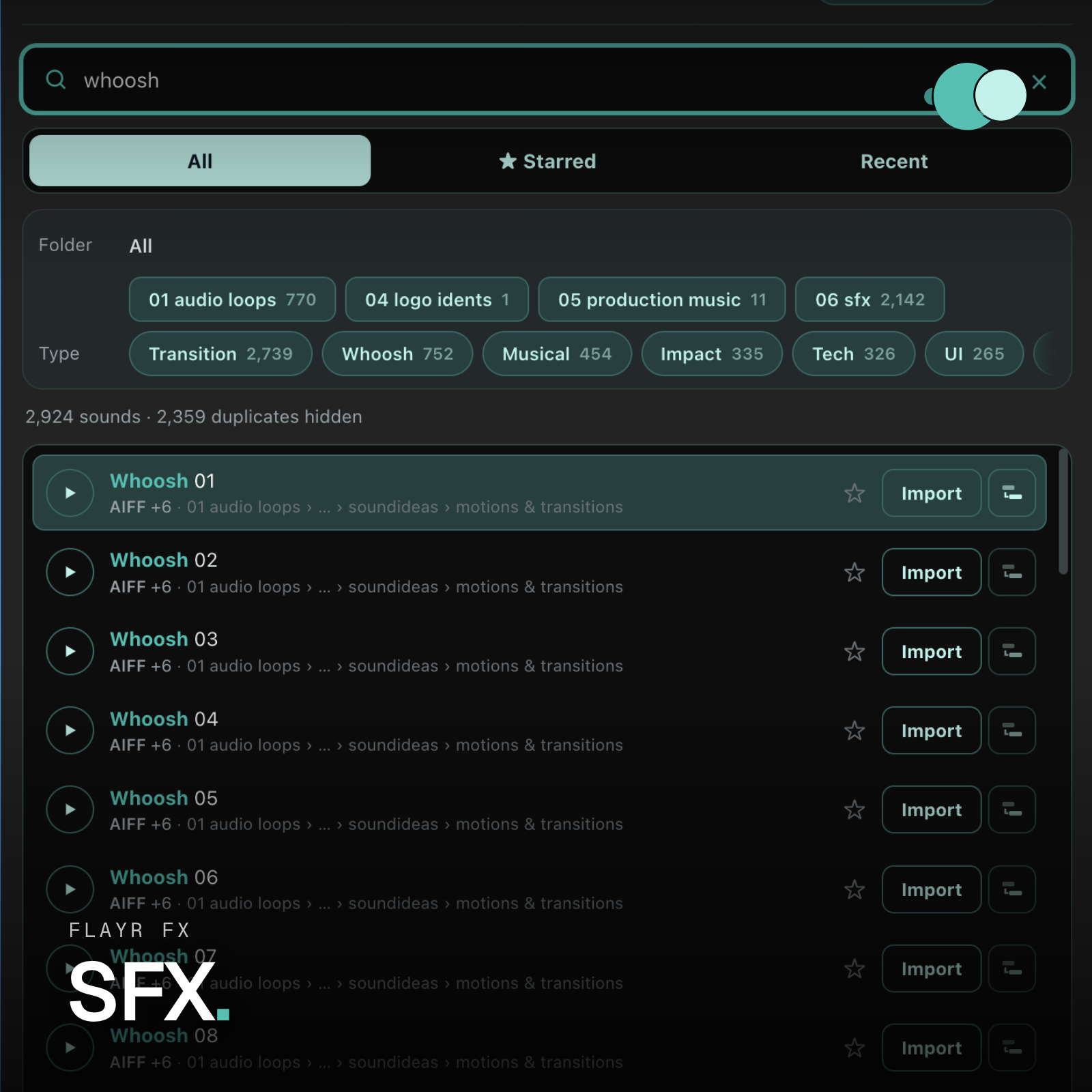
You have thousands of sound effects in folders somewhere. Flayr FX SFX puts them one search away inside Premiere Pro and After Effects: type “whoosh”, hear it, press Return, and it’s in your project or on your timeline.
No sounds are included. It searches the library you already have: the first time it opens, you choose the folder that holds your sound effects, and it indexes everything in it, subfolders and all.
What it does
- Waveforms: every result shows its waveform, so you can spot a short hit, a long riser or a quiet tail at a glance. The player draws it large, with a playhead you can click or drag to jump through the sound.
- Fast search: by file name, folder or sound type. Every word has to match, so “bbc dog” finds the dogs in your BBC folder. It knows sound types: “explosion” also finds Blast, Boom and Detonation, and “tech” finds Electronic, Computer and Robot. Plurals work both ways, “-reverse” leaves a word out and “.wav” keeps to one format. Name matches come first, and the matched words are highlighted.
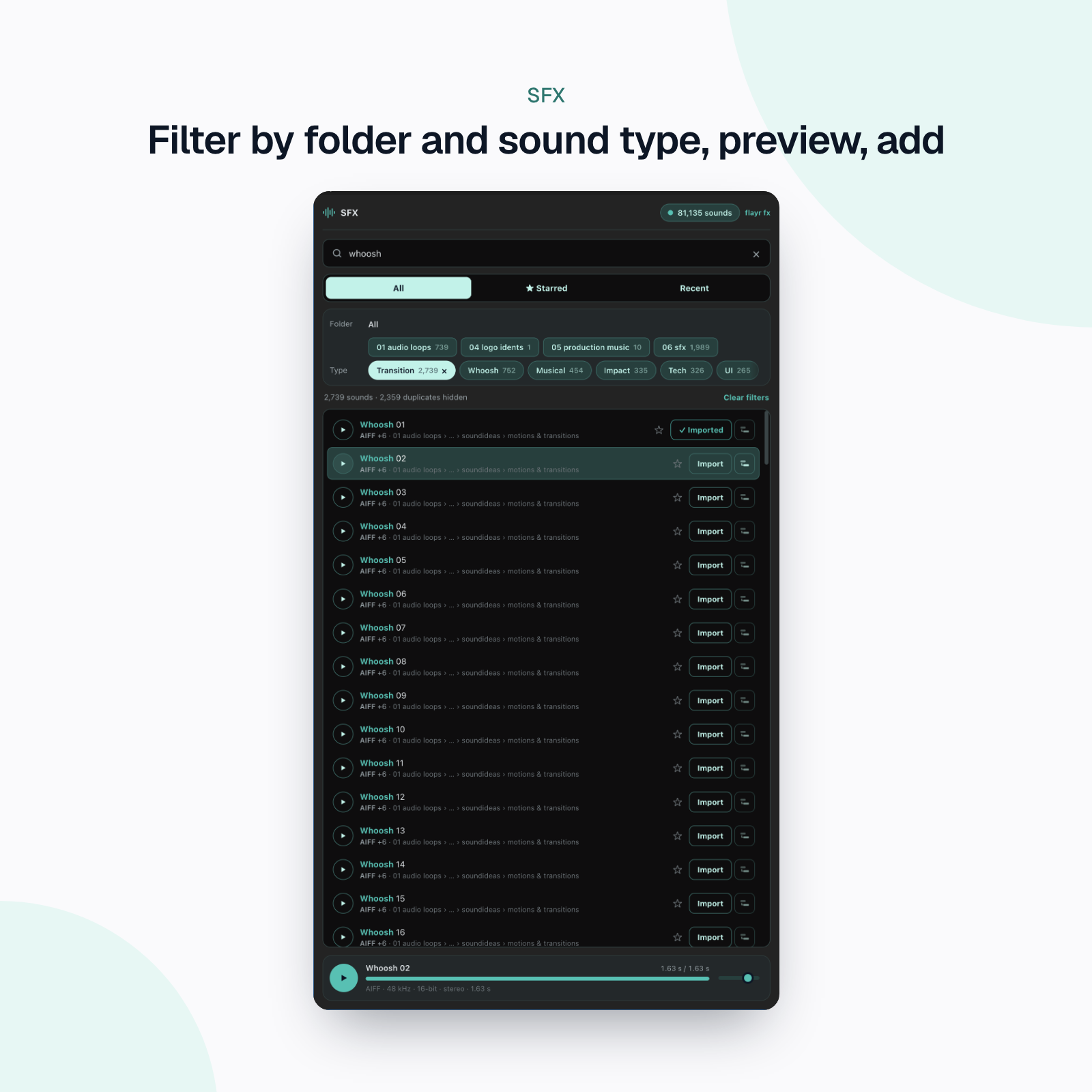
- Filters: step into any folder of your library, and pick from about 35 sound types such as Whoosh, Impact, Riser, Glitch, UI, Ambience, Foley, Footsteps, Weather, Vehicles and Cartoon. Each filter shows how many results it would leave.
- Starred and Recent: star the sounds you use most, and get back to the last 60 you imported.
- Duplicates hidden: the same sound as WAV, FLAC and MP3, or at 16 and 24-bit, shows once, as the best copy, with “+N” for the rest.
- Preview: click to play, click the bar to seek, set the volume, and see the format, sample rate, bit depth, channels and length. Turn on autoplay and each sound plays as you arrow through the list.
- Import with one key: Return imports into an SFX bin (Premiere Pro) or SFX folder (After Effects). Shift+Return puts it on the timeline at the playhead, on the first free audio track, or into the active comp at the current time. Sounds already in the project are reused, not imported twice. In Premiere Pro you can drag a sound onto a track, too.
- Made for big libraries: 80,000 files index in about two seconds on a fast drive. The index is saved, so the panel opens instantly, and search still works when the library drive isn’t connected.
- Projects that travel: optionally, every sound you import is copied into the project’s folder, so the project doesn’t depend on the library drive. On a Mac, CAF (Apple Loops), FLAC, OGG and AU files are converted to WAV for you.
- One library, both apps: choose the folder once and Premiere Pro and After Effects both use it.
Who it’s for
Editors and motion designers with a big sound-effects library (bought packs, free libraries, your own recordings) who are tired of digging through Finder or Explorer for the right whoosh.
Installing
Unzip, then run the installer: Install.command on a Mac, Install.bat on Windows. It copies the panel into Adobe’s extensions folder and allows unsigned extensions, which the panel needs. Restart Premiere Pro or After Effects and choose Window › Extensions › Flayr SFX. Works on Mac and Windows, Premiere Pro and After Effects 2022 and later.
A closer look
Screenshots of Flayr FX SFX at work, taken in the app.