Flayr FX World Map
£29.00 Includes VAT
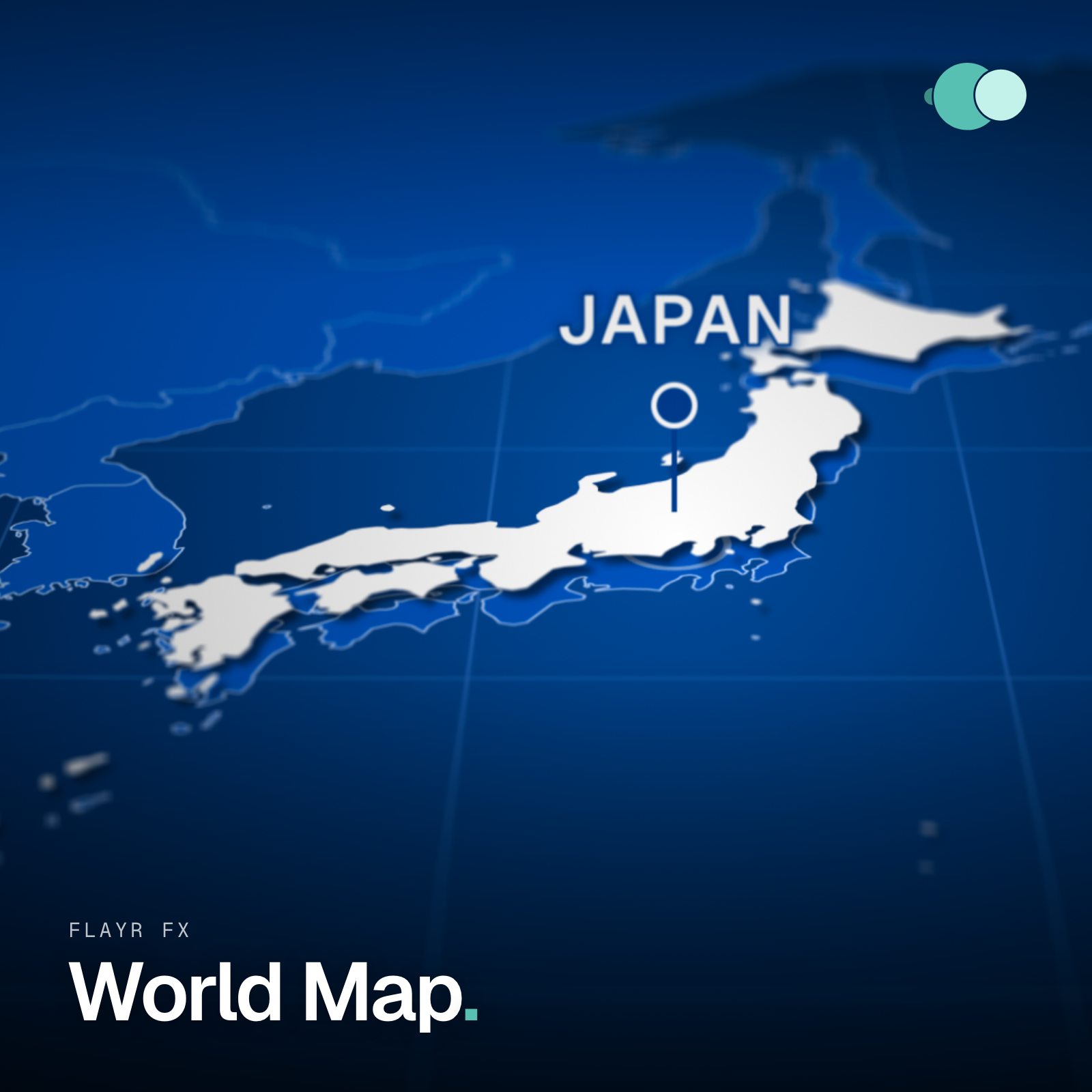
Animated 3D world maps in After Effects. Type a country or city and the camera flies there, drops a pin, lifts the country and writes the label. Build whole routes in minutes.
- Instant download from your account
- VAT receipt by email
- Secure card payment by Stripe
- One-person licence, Flayr Software Licence
- Software
- Adobe After Effects 2022 or later
- Systems
- macOS and Windows
- Type
- Dockable ScriptUI panel
- Sizes
- HD, 4K, vertical 9:16 and square, 23.976 to 60 fps
- Output
- native 3D layers, shapes and keyframes
- Map data
- Natural Earth (public domain)
- Updates
- free, from your account
See it in action
Rendered straight from After Effects with Flayr FX World Map. No editing afterwards.
About Flayr FX World Map
Travel stories, news graphics, explainers, company locations, tour dates. Flayr FX World Map builds a detailed 3D world map in After Effects and flies a camera around it for you: type a place, press Fly To, and you get a smooth, eased flight with a pin, a lifted country and an animated label. Everything it makes is ordinary After Effects layers, keyframes and expressions, so you can change anything afterwards.
What it does
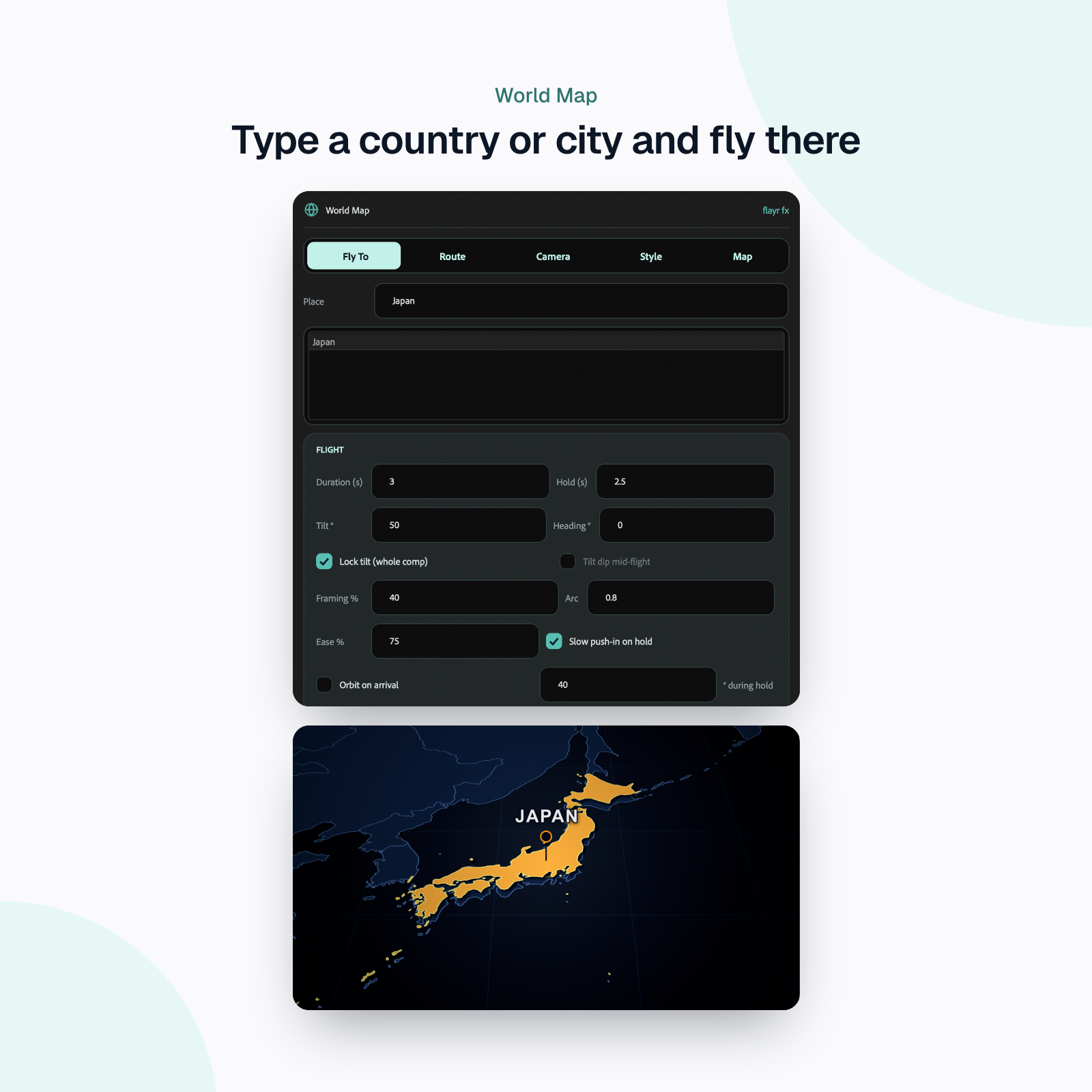
- The whole world, ready to animate: 241 countries and territories from Natural Earth’s detailed outlines, and 7,302 cities you can fly to by name. Results list as you type, countries first, then the biggest cities. Aliases, country codes and accents all work: USA, UK, DRC, Holland, Ivory Coast. For cities that share a name, pick from the list or type “London Canada”.
- Fly To in one click: an arcing camera move with ease, a pin that drops in with a little bounce and a pulsing ring, the country lifted out of the map with a shadow, and a title, subheading and description that reveal in a cascade. Fly to a city and its country lifts. The flight starts at the playhead and the next one follows on.
- Tours from one line: type France, Japan, Brazil and it flies to each in turn. Give every stop its own text with France | Subheading | Description. Fly back to the world view at any point, or clear every pin and label and keep the camera moves.
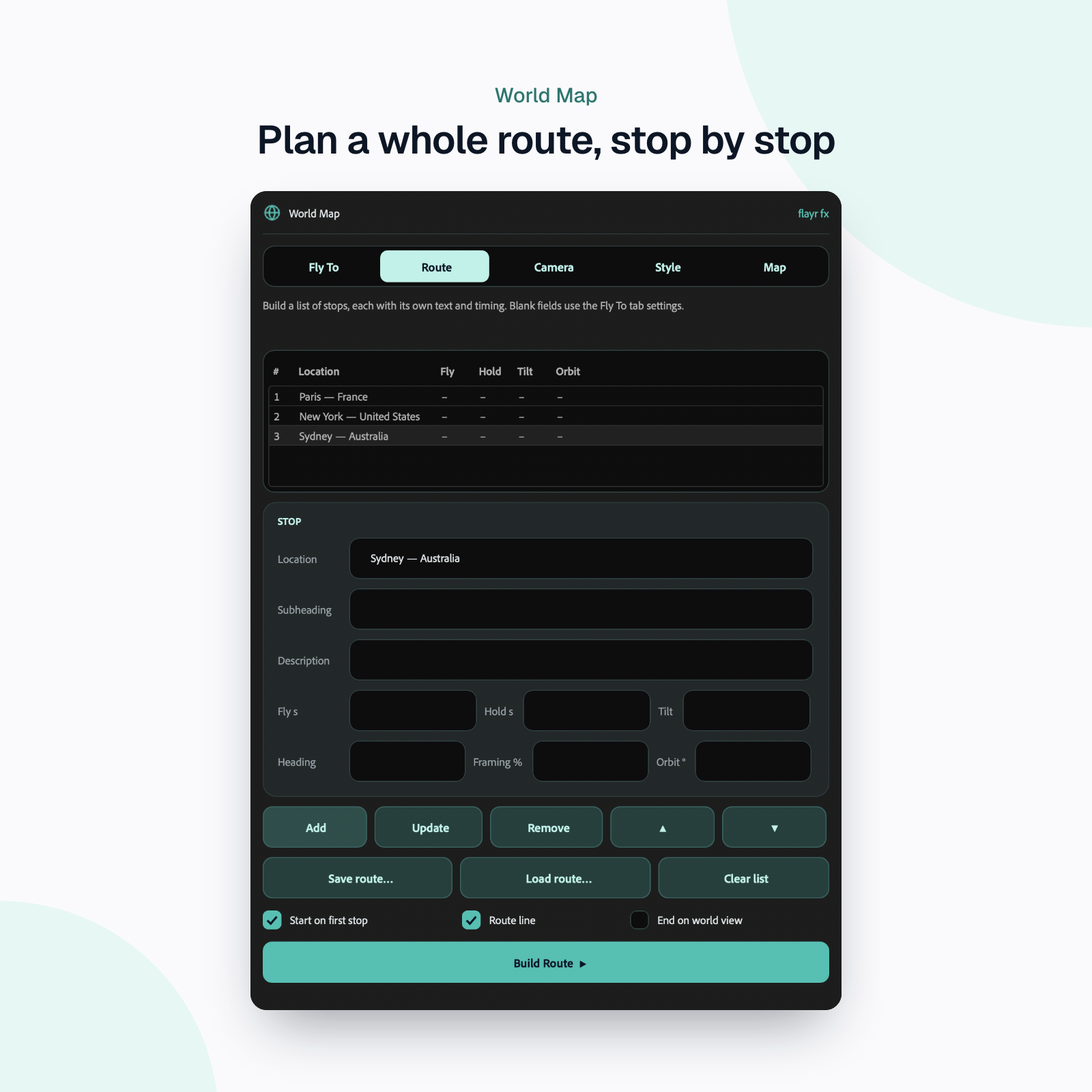
- Whole routes: plan a journey stop by stop in the Route tab, each with its own subheading, description, flight time, hold, tilt, heading, framing and orbit. Dotted route lines draw on as the camera flies and stay on screen to show the whole trip. Open on the first stop and end on the world view if you like. Routes save as spreadsheet files you can edit in Excel or Numbers.
- Real camera work: flight time, hold, tilt, heading, how much of the frame the country fills, how high the camera arcs and how much it eases. Lock one tilt for the whole comp, or let it dip toward top-down mid-flight. Add a slow push-in while it holds, an orbit around the country on arrival, or open straight on the first country with no fly-in.
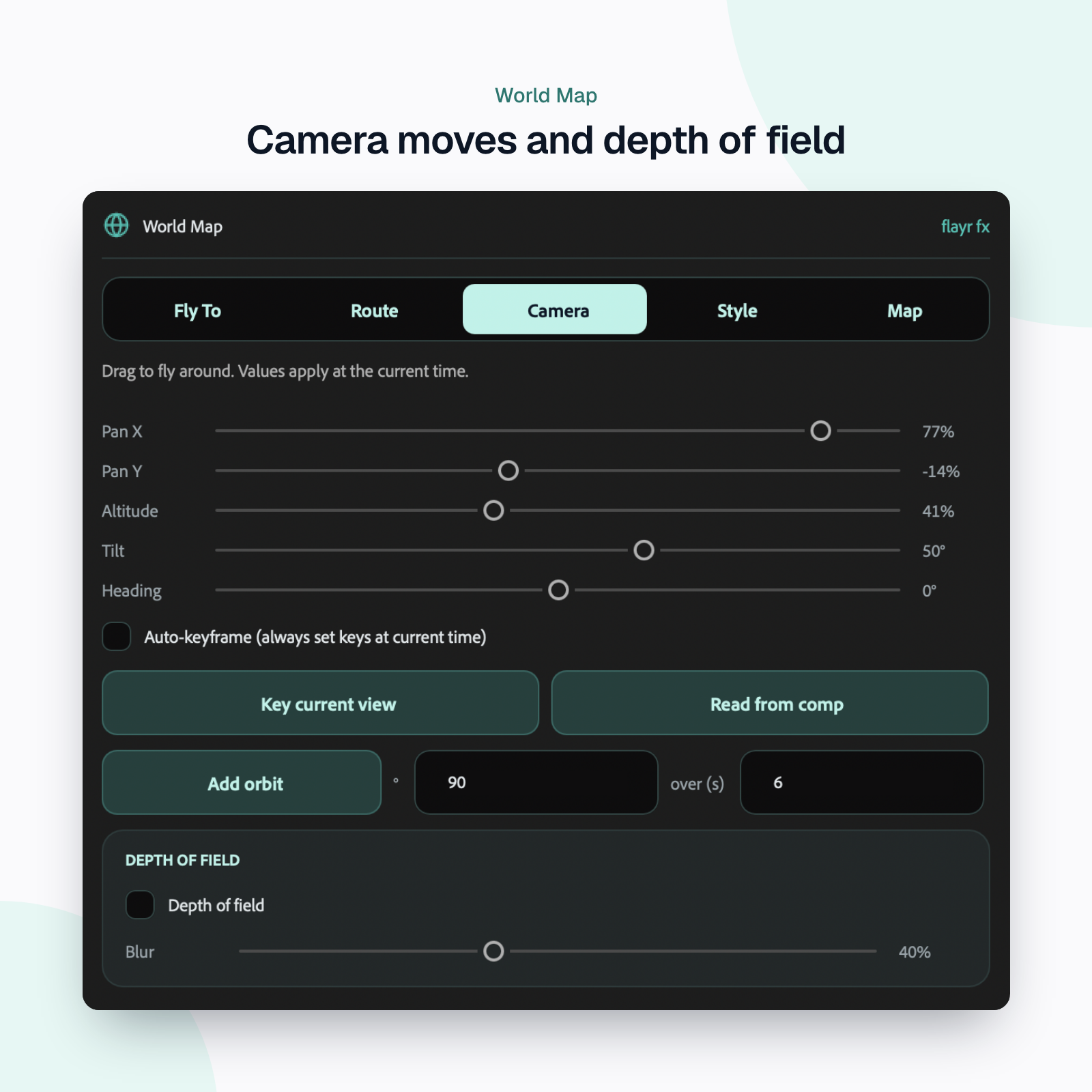
- Fly it by hand: the Camera tab has pan, altitude, tilt and heading sliders that move the camera live, with auto-keyframing, Key current view and Add orbit (any angle, any length). Depth of field with a blur slider keeps the destination sharp: focus follows it automatically.
- Labels that read on anything: your choice of title and body fonts, optional UPPERCASE, a subheading in the highlight colour and a smaller description that wraps by itself. {country}, {city} and {code} fill in for each stop. Labels face the camera, stay level and draw over the map, with an outline and a soft halo in the ocean colour.
- Pins your way: flat or glossy, with reversed colours so the pin stands out on a highlighted country. Pin size, label size, lift height and how much pins and labels shrink as the camera closes in each change every pin in the comp at once.
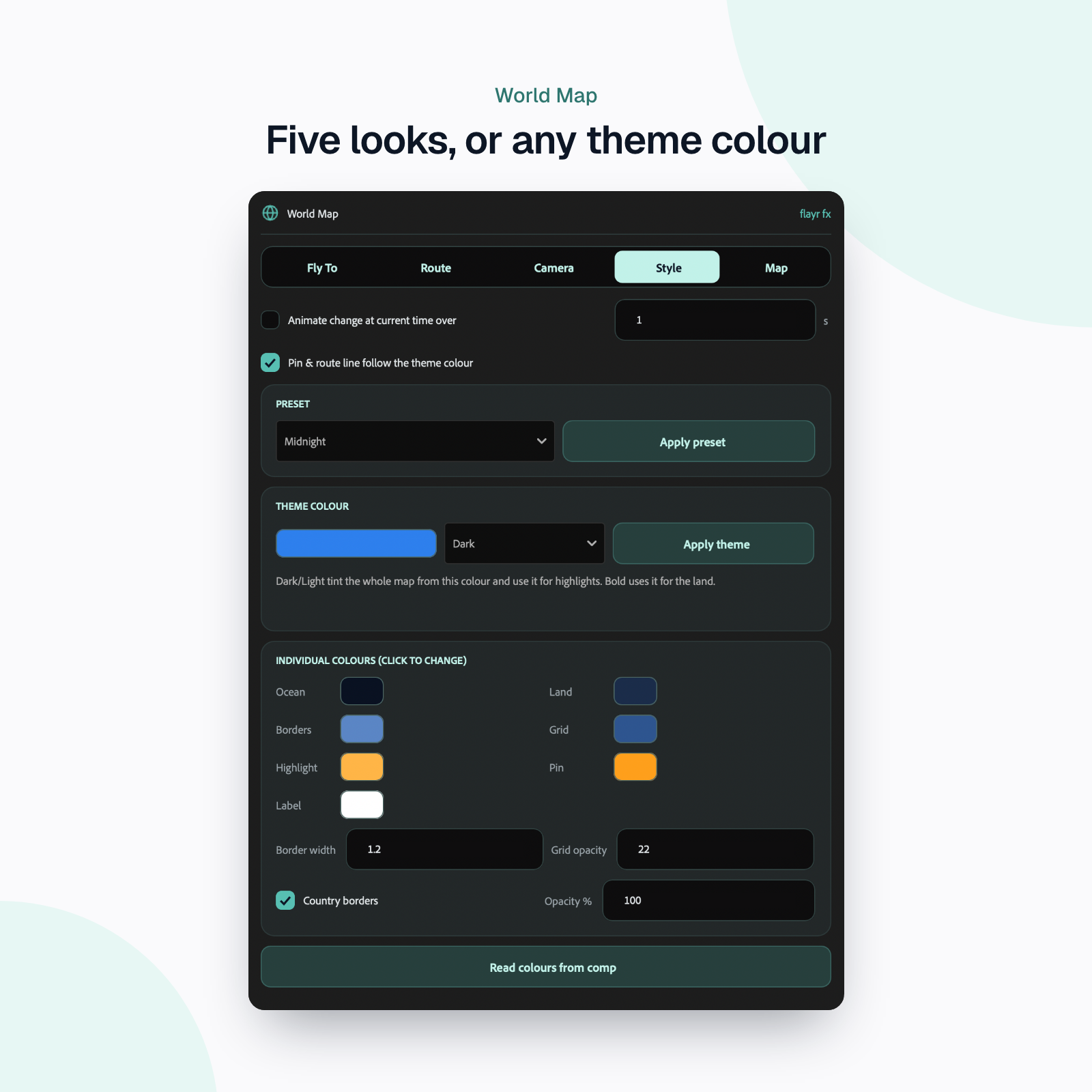
- Five looks and any colour: Midnight, Daylight, Blueprint, Graphite and Emerald, or pick one theme colour and it builds a matching palette (dark, light or bold). Change any of the seven colours (ocean, land, borders, grid, highlight, pin and label), the border width and opacity and the grid opacity, or turn country borders off. Change style mid-video with a smooth colour transition.
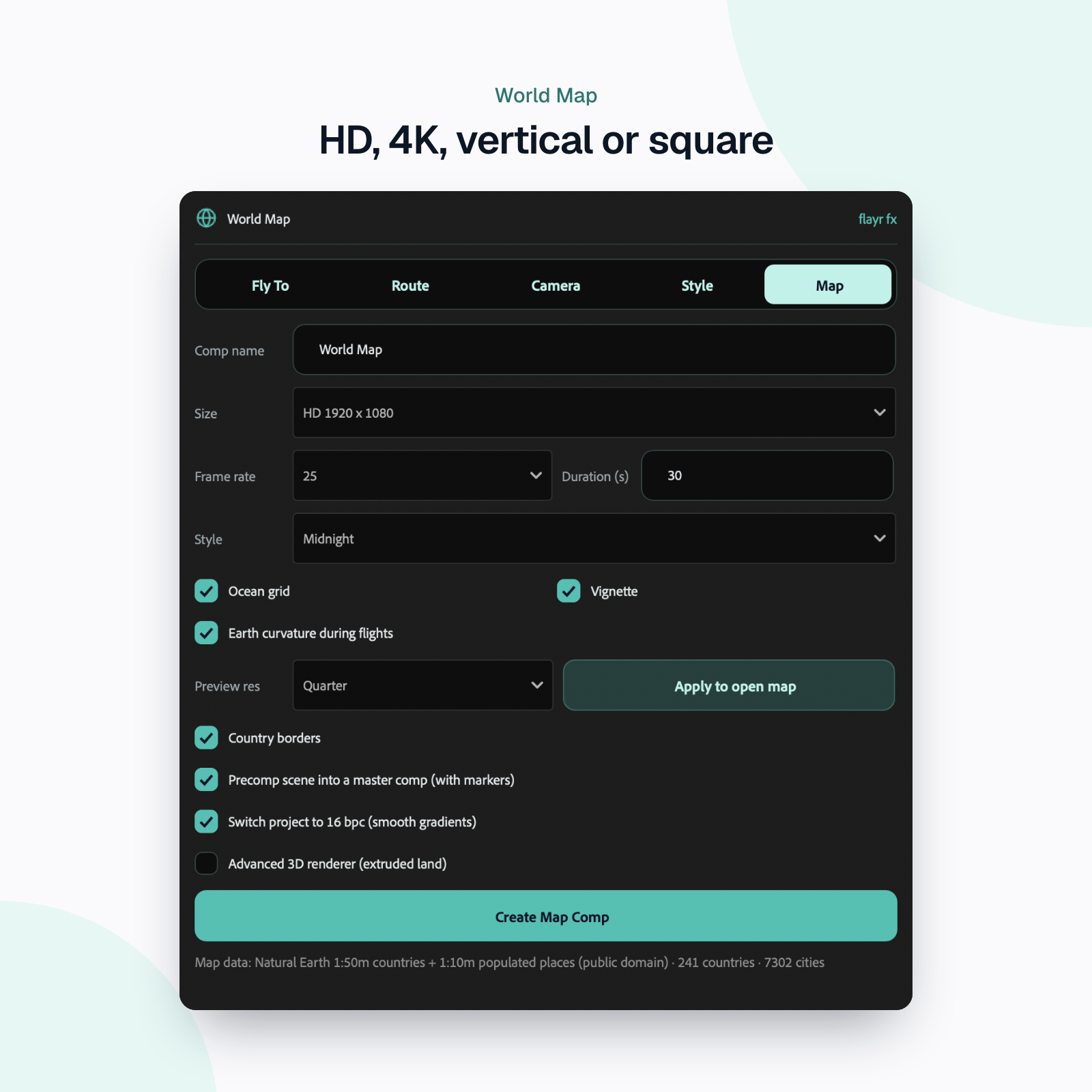
- Any size: HD 1920×1080, 4K 3840×2160, vertical 1080×1920 for Reels and TikTok, and square 1080×1080, at 23.976 to 60 fps.
- A map that looks finished: an ocean grid, a vignette, and earth curvature that bends the map away like a globe as the camera climbs and flattens on landing. Optionally, the Advanced 3D renderer gives the land and lifted countries real depth.
- Built for real projects: a master comp that holds the scene as one layer, a 16 bpc switch for smooth gradients, a quick preview resolution, and the comp lengthens itself when flights run past the end. Every action is one undo.
- One controller: camera, colours, curvature, depth of field, pin and label sizes all live on one null, so you can keyframe and tweak by hand.
- Markers on every flight (“Fly to Paris”, “Paris lands”, “Paris text in”) so you can cut music and edits to them.
- A clearer panel: five tabs (Fly To, Route, Camera, Style and Map) in the new Flayr FX look, with bigger buttons and fields and the settings grouped into cards.
Who it’s for
Editors and motion designers who need good-looking map animations quickly, without buying stock maps or building a camera rig by hand: YouTube travel and history channels, documentaries, corporate and charity films, news and sport graphics, and social video.
Installing
Unzip, then in After Effects choose File › Scripts › Run Script File and pick the installer. Restart After Effects and open the panel from the Window menu. Works on Mac and Windows, After Effects 2022 and later. Map data is from Natural Earth (public domain), so the maps you make are yours to use in any personal or client work.
A closer look
Screenshots of Flayr FX World Map at work, taken in the app.